
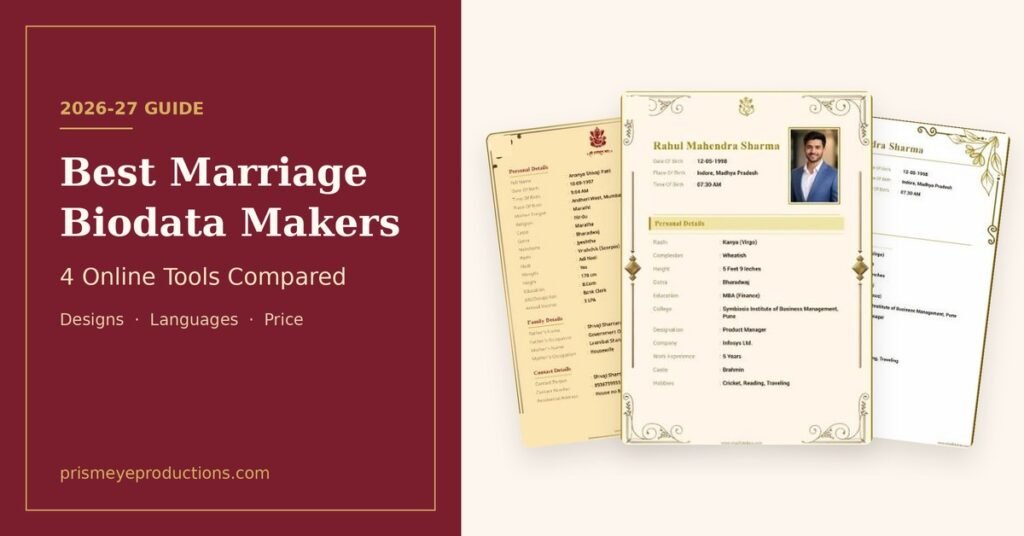
A marriage biodata is often the first thing a family sees about a prospective match. It gets forwarded on WhatsApp, printed for relatives and passed along by marriage bureaus, usually before anyone has spoken. A messy layout or a blurry photo can leave a poor first impression, however good the details are.
Many families still build this document in Word, which means fighting with tables, photo placement and Hindi or Marathi fonts. Online biodata makers take that work away: you fill in a form, pick a design and download a finished file.
These tools are not all alike, though. They differ in the number of designs, the languages they handle, how they charge and what they do with your personal details. This guide compares four popular options, using what each site publishes as of November 2026.
Table of Contents
Quick Comparison
| Tool | Best for | Designs | Languages | Price | Sign-up |
|---|---|---|---|---|---|
| ShadiBiodata | Best overall | 50+ | 12 | Low one-time fee, shown at checkout | Not needed |
| Marriage Biodata Makers | AI help and custom designs | 29, plus a custom designer | 12 | Low one-time fee, shown at checkout | Not needed |
| biodatamaker.app | Android users | About 26 shown | Hindi, English, Marathi, Gujarati and more | Not listed on the homepage | Not needed |
| marriagebiodata.ai | Image and PDF downloads | 12 shown | 9 | ₹39 to ₹59 one-time | Not needed |
How These Tools Were Compared
Each tool was judged on six things that matter to families making a biodata:
- Design choice: the range of layouts for different tastes and communities
- Language support: whether the biodata can be made in a regional language
- Customisation: whether fields such as gotra, rashi or manglik status can be added, renamed or removed
- Photos: how many you can add and how they are placed
- Pricing clarity: what you pay and when you find out
- Privacy: what the site says about your details and photos
1. ShadiBiodata
ShadiBiodata takes the top spot for its large template library and its flexible form. It offers more than 50 designs, the widest choice of the four tools here, with formats suited to Hindu, Muslim, Sikh, Christian and other communities. The process is simple. You enter your details, upload a photo, choose a template, preview the result and download a print-ready PDF. The photo is sized and placed for you, and no account or email is needed. Most people finish in about 5 to 10 minutes.
What stands out:
- Every field can be added, renamed or removed, so community-specific details like gotra, rashi and manglik status fit in easily
- The biodata can be made in English or 11 Indian languages, including Hindi, Marathi, Gujarati, Tamil, Telugu and Bengali
- Hindi can be typed directly in Devanagari, and Hindi and English can be mixed across sections
- An AI option tidies up spelling, grammar and capitalisation in what you typed
- Blank biodata formats in Hindi, English and Marathi are available as PDFs for families who prefer to fill one in by hand
Limitations: A downloaded PDF can’t be edited directly. To make a change, you go back to the tool and generate a new copy.
Best for: Most families, especially those who want plenty of designs and need to adjust fields for their community.
2. Marriage Biodata Makers
Marriage Biodata Makers is the strongest pick for people who want more help from AI or want a design of their own. It has 29 ready-made templates and a “Design Your Own” option for choosing borders, logos, header text, colours and fonts. Its AI features do more of the writing and calculating for you. It can correct spelling, grammar and letter case, and translate a biodata into 11 Indian languages. For Hindu profiles, it can also work out kundli details such as rashi, nakshatra, nadi, gan and manglik status, which you approve before they are added.
What stands out:
- One profile photo plus up to four extra photos, arranged into a collage at the end of the biodata
- Single-page or multi-page A4 layouts, with both included in one payment
- A full preview before you download
- The finished PDF is also sent to your WhatsApp number
- A 24×7 chatbot for help and for resending a PDF
- Stated data limits: photos are deleted automatically after 24 hours and PDFs after 7 days
Limitations: The template library is smaller than ShadiBiodata’s, and free edits and re-downloads are limited to 30 minutes after payment.
Best for: Families who want kundli details filled in, several photos or a one-of-a-kind design.
3. biodatamaker.app
biodatamaker.app is an established option with a straightforward form. Its gallery shows about 26 designs, including traditional, minimalist and two-column layouts, with options for Hindu, Muslim, Sikh and Christian families. You can add, delete or rename fields, and no sign-up is required. The site also links to an Android app on Google Play, which suits people who prefer an app to a browser. It says no user information is stored on its side.
Limitations: Only one photo can be added. Because details aren’t stored, you must re-enter everything to change a biodata after downloading it. Prices aren’t listed on the homepage, so you’ll need to go through the process to see the cost.
Best for: Android users who want a simple biodata with a single photo.
4. marriagebiodata.ai
marriagebiodata.ai stands out for clear, tiered pricing and for offering image downloads as well as PDFs. Its paid options are ₹39 for an image, ₹49 for a PDF and image, and ₹59 for a PDF and image with unlimited downloads and edits after payment.
The site supports nine languages and shows 12 template designs. Its religious icon library covers Hindu, Muslim, Buddhist, Christian, Jain and Sikh families, with more than 43 god images to choose from. Fields can be added, removed and reordered, and a crop tool helps with the photo.
Limitations: The design range is the smallest of the four, and the site’s wording on free downloads and paid downloads isn’t fully consistent, so check the final price before you start. Although “AI” is in the name, the homepage doesn’t describe specific AI features.
Best for: People who want a PNG image to share, or who want a wide choice of religious symbols.
How to Choose the Right Biodata Maker
Start with what your family actually needs, and let that decide:
- Want the most design choice? ShadiBiodata has the largest library here.
- Need kundli details or several photos? Marriage Biodata Makers handles both.
- Prefer an Android app? biodatamaker.app links to one.
- Want an image rather than a PDF? marriagebiodata.ai sells PNG downloads.
Language matters too. If elders in the family will read the biodata, making it in their first language is often more useful than a fancier design.
What to Check Before You Download
Whichever tool you use, a two-minute review can save an awkward correction later:
- Check the facts that can’t be wrong. Date of birth, time of birth, height and contact number matter most, because families rely on them for horoscope matching and first contact.
- Use a clear, recent photo. A high-resolution picture with a natural smile works better than an old or heavily edited one.
- Keep it short. One or two pages is enough. Families scan a biodata quickly, so clean sections beat long paragraphs.
- Think about what you share. A biodata travels far once it’s on WhatsApp. Consider using a parent’s number or leaving out your full address.
- Read the privacy details. Check what the site does with your photo and details, especially if you are making a biodata for someone else.
Frequently Asked Questions
What should a marriage biodata include?
A good biodata includes your name and photo, personal details (date of birth, height, religion, caste, mother tongue), education, career, family background, a short note about yourself and contact information. Many Hindu families also add horoscope details such as rashi, nakshatra and gotra.
Do online biodata makers cost money?
Most charge a small one-time fee for a finished design. marriagebiodata.ai, for example, lists ₹39 to ₹59. ShadiBiodata also offers blank PDF formats in Hindi, English and Marathi for filling in by hand.
Can I make a biodata in Hindi or Marathi?
Yes. All four tools support Hindi and Marathi. ShadiBiodata and Marriage Biodata Makers cover the widest range, with English and 11 Indian languages each.
Which file format is best for sharing?
A PDF is the safest choice. It keeps the layout intact on WhatsApp and email and prints cleanly on A4 paper. An image can be handy for a quick preview in a family group.
How long does it take to make a biodata online?
Usually 5 to 10 minutes, as long as you have your details and a photo ready.
Final Thoughts
For most families, ShadiBiodata is the best place to start because of its design range and flexible fields. Marriage Biodata Makers is the better choice if you want AI help, kundli details or a custom layout. biodatamaker.app and marriagebiodata.ai are solid alternatives for Android users and for people who want image downloads.
Prices and features change, so confirm the details on each site before you pay.
Disclosure: ShadiBiodata and Marriage Biodata Makers are run by the same team, who contributed to this article.
Planning Your Wedding After the Biodata?
Once the biodata has done its job and the rishta is fixed, the next step is the wedding itself. From the roka and mehndi to the pheras and vidaai, these moments pass quickly, and a well-made wedding film lets your family relive them for years.
At Prism Eye Productions, we capture weddings, pre-wedding shoots and mehndi ceremonies with a cinematic touch, telling your story the way you remember it.
📍 Based in Dehradun, covering weddings across Uttarakhand
📩 Contact us to check availability for your wedding date